 Doorbook
On a bigger screen
The same app runs on iPhone, iPad and — as an iPad app — on Apple Silicon Macs. One purchase, one Apple ID.
How the layout changes
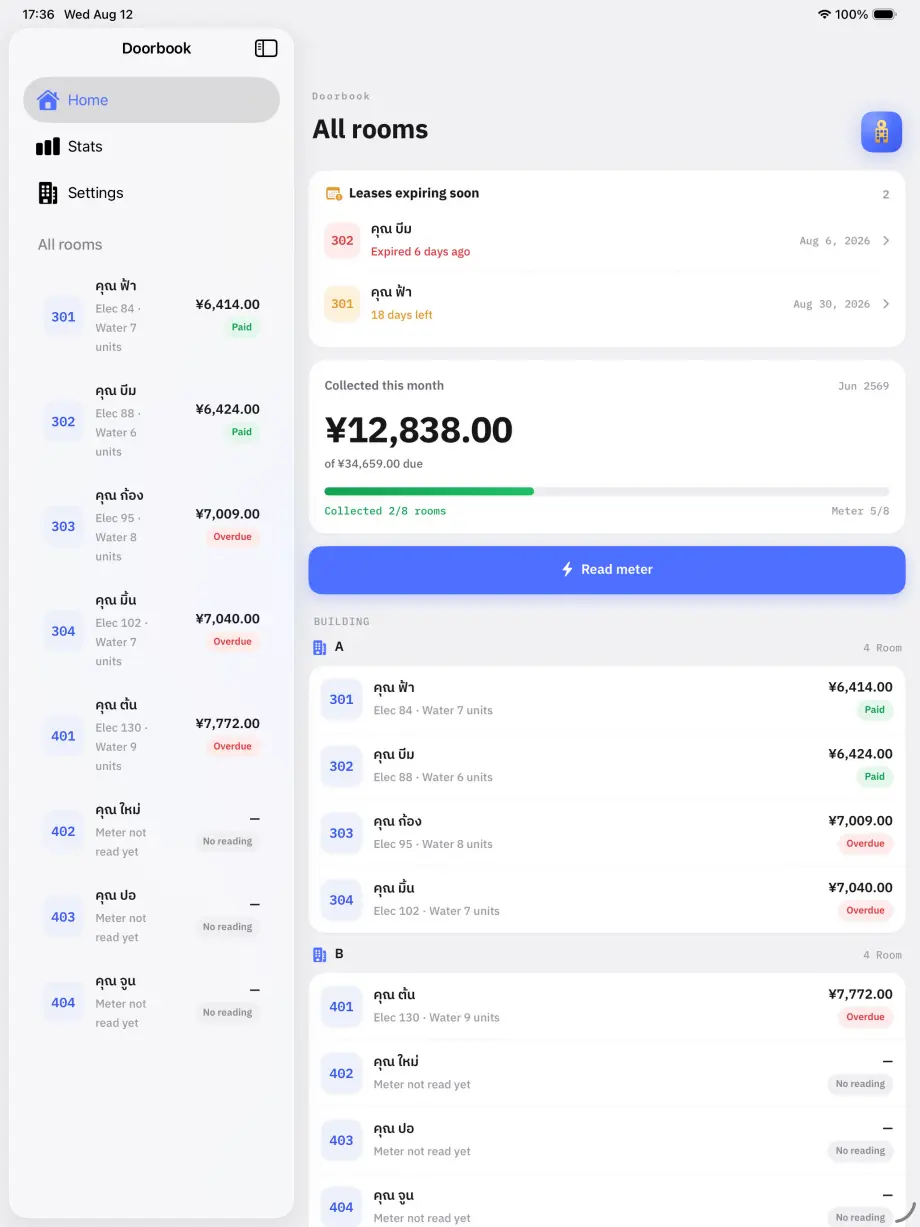
On a narrow screen Doorbook is a tab bar. On a wide one it becomes a sidebar with the content beside it, so the room list and the room you are working on are visible at once.
Keyboard shortcuts
- ⌘H — home
- ⌘S — analytics
- ⌘, — settings
- ⌘M — start a metering round
While entering meter readings on a keyboard, the number keys type, Return confirms the reading and moves on, and Delete corrects.
Your book across devices
Your book syncs between your own devices through your iCloud account, so a round walked on the phone is on the iPad when you sit down.
Read next
Sync, backup and a new phone
How Doorbook syncs between your own devices, what Pro's iCloud backup keeps, and how to restore your rooms and lease scans onto a new iPhone.
NextWhat the numbers tell you
What Doorbook's analytics show: billed against collected each month, collection rate, which rooms use the most power, and each room's own 24-month history.